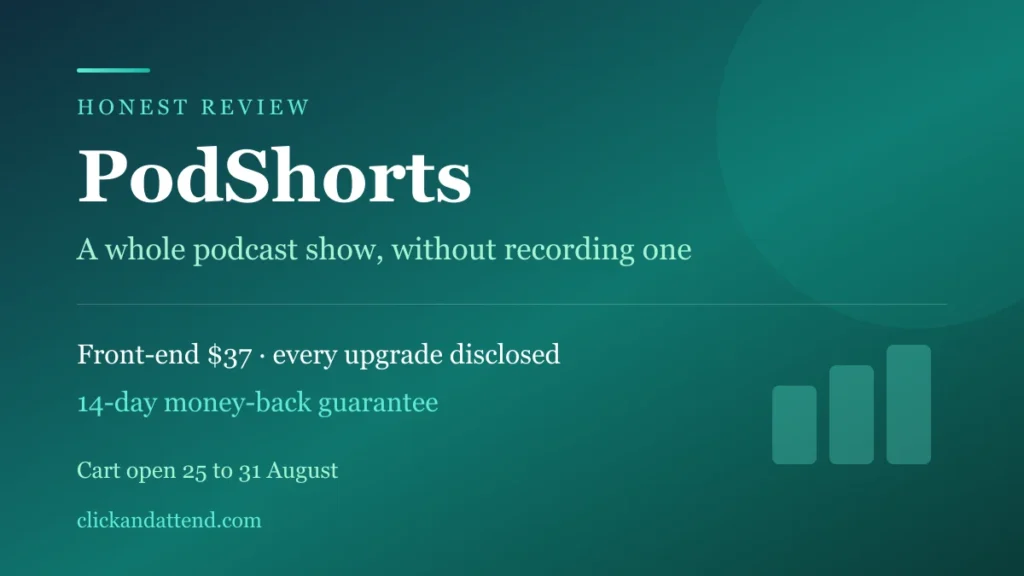
Still open: PodShorts launched on 25 August with an announced close of 31 August. That date passed and the offer is still up. We rechecked on 1 September: the offer is live, and the front-end has moved from $37 to $39.97, which is the early-bird increase the page kept warning about. So if you landed here thinking you missed it, you did not. You did pay for waiting. The vendor states the one-time price applies during launch only, and that new customers pay monthly afterwards. There is a 14-day guarantee behind it.
⚡ Quick Answer
PodShorts turns one typed topic into a full podcast episode performed by AI hosts, cuts it into vertical clips, and posts them to TikTok, Instagram and YouTube Shorts for you. No recording, no editing, no camera. The front-end is $39.97 one time and covers 5 shows and 500 clips, multiplied into up to 1,500 platform-specific posts. There is a $317 a year bundle ($267 with the code POD) and five optional upgrades behind the entry price. The whole funnel is laid out below, because the $39.97 is not the whole story.
What is PodShorts?
PodShorts is an AI podcast tool that builds and runs a short-form video channel for you. You give it a topic. It casts the AI hosts, writes and performs the episode, cuts it into vertical clips, burns in the captions and publishes them to TikTok, Instagram and YouTube Shorts on a schedule.
It costs $39.97 one time, and it is built for people who want a content channel without recording audio, hiring an editor or appearing on camera.
You have scrolled past a hundred of them. Two people in a conversation, a caption burned across the middle, a hook that lands in four seconds. Podcast clips are the format the feeds are pushing hardest right now.
The reason most people watch instead of posting is boring and expensive: to have podcast clips, you need a podcast. A microphone, a co-host who shows up, hours of editing, and your face on camera.
PodShorts deletes that gate. No microphone. No co-host to chase. No edit, and no camera.
What that buys you is a show without a studio, a co-host who never cancels, and a channel that keeps posting on the days you do nothing at all.
This PodShorts review covers what it does, what the whole funnel really costs, and how the output sits with platform rules. There is a 14-day guarantee behind it, so the verdict that counts is the one you form in your own niche.
The Price Window
| What | When |
|---|---|
| Cart opened | Tuesday 25 August, 11:00 AM Eastern |
| Announced close | Monday 31 August. The date passed and the cart stayed open |
| Checked 1 September | Still live. Front-end now $39.97, up from $37 |
| What the page shows now | A countdown on the early-bird price, no date |
| One-time pricing | Launch only, per the vendor |
When this first went up, the page carried a written close date, which beats the countdown that resets every time you reload. That date has since passed with the offer still standing, and the page now runs a timer instead of a date: “Early Bird Discount Ends & Price Increases In”.
Read that clock for what it actually guards rather than as a doomsday device. It is protecting the one-time price, and the vendor is unusually direct about what replaces it.
What happens next is on the sales page in plain words: new customers pay monthly once launch week ends.
So this is not a last chance to exist, and we are not going to pretend it is. It is the last window to own the tool outright instead of renting it, and that structure is the part that does not come back.
What PodShorts Actually Does
You pick a niche. You type a topic. The AI produces a three to ten minute episode as a conversation between two hosts, cuts it into short vertical clips with captions, and publishes them on a schedule across three platforms.
The hosts are the part that makes it unusual. They are AI characters with consistent voices and faces that return in every episode, which is what makes a channel feel like a show rather than a pile of unrelated clips. You can also clone your own face and voice instead, if being invisible is not the goal.
The pieces, by name
| Component | What it handles |
|---|---|
| TrendRadar | Suggests topics already gaining traction in your niche |
| CastStudio | Casts your hosts, or clones your own face and voice |
| ShowForge | Writes and performs the episode from one topic |
| ClipGenie | Cuts up to 15 captioned vertical clips per episode |
| Variation Engine | Makes each clip platform-unique to avoid duplicate suppression |
| AutoCast | Schedules and publishes to TikTok, Instagram and Shorts |
| ProfitRouter | A monetised bio-link page that rotates offers |
Worth noticing where that list ends. Most AI tools stop at production and hand you a folder of files, which is the easy half. This one keeps going through scheduling, publishing and a bio page that routes viewers to your offers.
The output is not a video sitting on your desktop. It is a posted clip with your link under it.
What the $39.97 licence actually includes
| Limit | Front-end | Bundle |
|---|---|---|
| Shows / channels | 5 | 100 |
| Clips | 500 | Up to 7,500 |
| Episodes per month | Not stated | 500 |
| Publishing networks | 3 | 15 |
Those clip counts get multiplied into platform-specific variants, which is where the “up to 1,500 posts” figure on the sales page comes from. It is the same 500 clips cut for three feeds, not 1,500 separate pieces of content, and knowing the difference stops the number doing work it has not earned.
The page also states there is nothing else to buy to run it: no API keys, no credit packs, no separate hosting. For a tool that generates voice and video, that is the claim most worth testing first, because per-minute costs are where this category usually hides its real price.
Live now · Front-end $39.97 one time · 14-day guarantee
What It Costs, All of It
Every launch like this has one number on the sales page and a different number on your card statement. Here are both, before you click anything.
The advertised price is $39.97. That is genuinely the entry price. It is also the beginning of a sequence.
| Step | Price | What it adds |
|---|---|---|
| PodShorts Premium (front-end) | $39.97 | The core tool |
| FastPass Bundle | $230/year | Packages the upgrades |
| DFY Show Network | $197 | Ready-built show networks, offered only to bundle buyers |
| PodShorts Scale | $67 (or $47) | Higher limits |
| PodShorts Agency | $197 (or $97) | White label and client management |
| PodCoach AI | $97/year (or $67) | Coaching layer |
| PodShorts Amplify | $67 (or $47) | Distribution add-on |
| Bundle Deal | $317/year $267 with code POD |
Everything, bought up front |
Coupon on the bundle
The sales page lists the code POD for $50 off.
$317 becomes $267, and it stays $267. The checkout spells this out: “Future Payments will be discounted by $50.00. $267.00 will be billed every 12 months.” So the code is not a first-year sweetener, it holds on renewal. It applies to the bundle rather than to the entry licence.
The prices in brackets are the reduced offers you see if you decline the first one. That is normal for this kind of funnel and it is useful to know in advance, because a price dropping the moment you say no feels like pressure when it surprises you and feels like information when you expected it.
The honest way to read that table
If you want the tool, $39.97 buys the tool. You can decline everything else and still have what the sales page showed you.
If you know you want the full stack, the $317 bundle is cheaper than assembling it upgrade by upgrade. What you should not do is walk in expecting $39.97 to be the final number and then decide, six screens deep, under a timer.
Decide before you click which of those rows you actually want. That single habit is worth more than any discount on the page.
$39.97 one time · Bundle $317/yr → $267 every 12 months with code POD
Labelling AI Content Is Just Part of Posting Now
Your clips come out clean. There is no watermark burned into the video, which is the thing people usually mean when they ask about this.
What the platforms want is a separate matter: a declaration attached to the post. PodShorts states on its sales page that it handles that part for you, describing “AI-content labels are set automatically” on what it publishes.
It does that per platform. Each network words its AI-content rule differently and records the declaration in its own way, and PodShorts applies the right one at the moment it publishes, through the disclosure fields the platforms expose in their publishing APIs.
Worth saying plainly that none of this is a drawback.
Disclosure became the norm everywhere at once. Packaged goods with AI-generated imagery are heading toward on-pack marks, advertising is moving the same way, and the social platforms simply got there first. Ticking a box that says AI is on its way to being as unremarkable as the sponsored tag.
YouTube’s own policy is explicit: it requires creators to disclose when they use AI to meaningfully alter or generate photorealistic content, and there is an AI use setting in YouTube Studio for exactly this purpose. Content that is clearly non-realistic, or only minimally edited, does not need the label. AI hosts that look like real people talking are not in that exemption.
TikTok and Meta have equivalent requirements, and both have moved toward detecting synthetic media automatically rather than relying on you to declare it.
The mechanics are simple once you have seen them once. Something ticks the AI use box, and YouTube then adds the label itself: on the player for photorealistic content, or in the expanded description for animated content. The declaration is what gets made; the label is what the platform renders afterwards.
Which leaves one practical line to remember. If PodShorts publishes for you, it sets that declaration. If you download a clip and upload it by hand, it is yours to make in YouTube Studio, because the tool is no longer in the room.
Either way it is one box. Viewers care about whether a clip is worth watching far more than about how it was produced.
Who Made It
PodShorts comes from Abhi Dwivedi, a vendor who has been launching software on JVZoo for years. If you have bought a tool in this category before, you have very likely seen his name on it.
That cuts both ways, honestly. A long track record means the product will exist, the login will work, and support will answer. It also means this is a launch-style release with a launch-style funnel, which is exactly what the pricing table above describes.
We looked at another of his tools separately in our BrowserAgent AI review, which scored 7.5 out of 10 and gives a reasonable sense of what to expect from the house style.
Who This Is For
- People who want a content channel and will not go on camera. This is the core case, and the reason the AI hosts exist.
- Affiliate marketers who need traffic pointed at a link, since the bio-link page is built into the product.
- Anyone who has tried short-form and stalled on production time rather than on ideas.
Who should skip it
- You already record a real podcast. Your clips carry something this cannot generate, which is you. Use a clipping tool instead.
- You want a personal brand. A channel fronted by AI characters builds the channel, not you.
- Your niche sells on personal trust. Coaching, advisory work and local services get chosen on the strength of one specific person. AI hosts can still pull an audience there, but something with your face on it has to close the gap eventually, so plan for that instead of assuming the clips do it for you.
- You buy launches and do not use them. If there is a folder of unopened logins in your inbox, the honest answer is that this becomes the next one.
- You want a proven track record before you buy. It launched on 25 August, so there is no long-term user base to learn from yet, and the guarantee window is doing that job instead.
The 14 Days Are the Real Test
You do not have to decide from this page. You get 14 days inside the product, which is a better test than any review, including this one.
The sales page words it as one support ticket for a full account review, so read the exact terms at checkout rather than assuming them. What the fortnight buys you is time to answer the four questions that actually decide this.
That changes what this article is for. We are not handing you a score, because a number from a stranger is a poor substitute for two weeks with the actual product in your own niche.
What to check while the clock runs
- Do the hosts still sound natural by the third episode? One demo proves nothing. Three in a row tells you whether a channel is sustainable.
- Does the auto-posting connect and stay connected? Link all three platforms on day one and see what is still running on day ten.
- Do your clips hold attention? Watch time on the first ten clips tells you more than any review, including this one.
- Is one topic per episode enough input? If you end up rewriting everything the AI produces, the time saving disappears.
Four questions, two weeks. Answer them in week one, not on day thirteen. A guarantee you have tested beats one you are counting on.
Front-end $39.97 · Bundle $317/yr · Coupon POD takes $50 off the bundle
Frequently Asked Questions
What is PodShorts?
PodShorts is an AI tool that turns one typed topic into a complete podcast episode performed by AI hosts, then cuts that episode into short vertical clips and publishes them to TikTok, Instagram and YouTube Shorts on a schedule. You never record audio or appear on camera unless you choose to.
How much does PodShorts cost?
The front-end is $39.97, one time, up from the $37 it launched at. There is also a bundle at $317 a year that packages the upgrades together, and the coupon code POD takes $50 off it at checkout and again on renewal, so the bundle bills $267 every 12 months rather than reverting to $317. If you buy the entry licence on its own, expect a sequence of optional upgrades afterwards, priced between $47 and $197.
How long is PodShorts available at this price?
It launched on 25 August 2026 with an announced close of 31 August. That date passed and the offer is still live: we rechecked on 1 September 2026: the offer is live and the front-end has moved from $37 to $39.97, the early-bird increase the page warned about. The POD coupon still works on the bundle. The page no longer publishes a date, it runs a countdown on the early-bird price instead. The vendor states the one-time price applies during launch only, and that new customers pay monthly afterwards, so the thing worth watching is the price, not the clock.
Who created PodShorts?
Abhi Dwivedi, a long-running JVZoo vendor. If you have looked at tools in this space before you have probably seen his name on them, and we reviewed one of his other products, BrowserAgent AI, separately.
Do I have to show my face or record my voice?
No. The default is AI hosts with their own voices and visual identities. Cloning your own face and voice is offered as an option rather than a requirement, which is the whole point of the tool for most buyers.
Do I have to declare that the clips are AI?
Yes, and PodShorts handles it automatically, following each platform’s own rule on every post it publishes. There is no watermark burned into the clip itself; the declaration is a setting attached to the post. YouTube requires creators to disclose content generated or meaningfully altered by AI when it appears realistic, using the AI use setting in YouTube Studio, and YouTube adds the viewer-facing label afterwards. TikTok and Meta have equivalent requirements. If you export a clip and upload it by hand, that declaration is yours to make.
How many shows and clips do I get?
The front-end licence covers 5 shows and 500 clips, which the tool multiplies into platform-specific variants for up to 1,500 posts. The bundle raises that to 100 channels, 500 episodes a month and up to 7,500 clips. The sales page also states no API keys or credit packs are needed on top.
Can I get a refund?
There is a 14-day guarantee, and the sales page words it as one support ticket so the team can review your account. That is a review rather than an automatic refund, so confirm the exact terms on the checkout page before you pay, since they are set by the vendor rather than by us.
Sources & References
- YouTube Help, Disclosing use of altered or synthetic content. Creators must disclose AI-generated or meaningfully AI-altered content when it appears realistic, using the AI use setting in YouTube Studio.
Related reviews
How we checked this: every figure here is read at the primary source and linked, never taken from another article. Where a number is someone’s own claim about their product, we say so in the text. Read our full review methodology and affiliate disclosure.