
⚡ Quick Answer
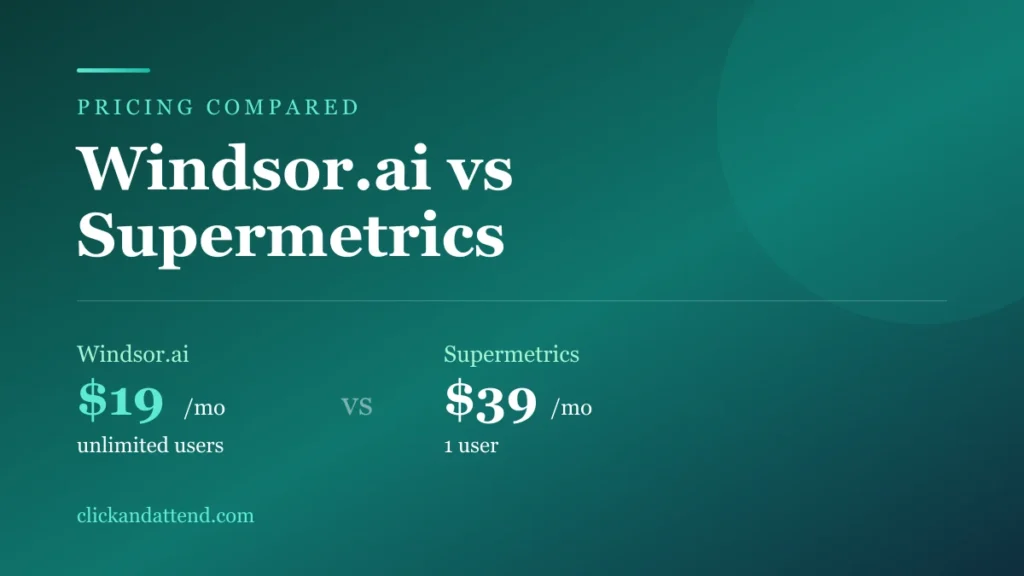
Windsor.ai vs Supermetrics comes down to how many people need access. Windsor.ai starts at $19 a month with unlimited users. Supermetrics starts at $39 a month with one user and charges around $29 to $37 for each extra seat. For a small team or an agency, Windsor.ai is meaningfully cheaper. Supermetrics keeps the edge on governance, storage and track record, which is what larger companies are buying.
Both tools do the same core job: pull your marketing data out of Google Ads, Meta, GA4 and a few hundred other platforms, and drop it somewhere useful.
The marketing pages will not tell you which to pick, because both are written to sound like the obvious answer. So we opened both pricing pages, put the tiers next to each other, and worked out where the money actually goes.
A note on spelling before we start, because it affects what you find when you search. The product is written Windsor.ai, but most people type windsor ai vs supermetrics without the dot, and plenty search supermetrics vs windsor ai the other way round. Same two tools, same answer below.
The 30-Second Answer
| If you are… | Pick | Because |
|---|---|---|
| A solo marketer or freelancer | Windsor.ai | Half the entry price, and a free tier to test with |
| An agency with a team and client logins | Windsor.ai | Unlimited users, and 75 connected accounts on the entry plan |
| Pulling from many platforms at once | Windsor.ai | All 350+ sources on every paid plan instead of 3, 7 or 10 |
| A large company with compliance requirements | Supermetrics | Workspaces, governance and a longer enterprise track record |
| Running Supermetrics on one seat, happily | Stay | A working stack is worth more than $20 a month |
| Running Supermetrics and paying for seats | Test the switch | This is where the numbers stop being close |
Price, Side by Side
Both figures below are the annual billing rate, taken from each company’s own pricing page. Monthly billing costs more on both.
| Tier | Windsor.ai | Supermetrics |
|---|---|---|
| Free | $0, Forever Free | None, trial only |
| Entry | $19/mo (Basic) | $39/mo (Starter) |
| Middle | $99/mo (Standard) | $159/mo (Growth) |
| Upper | $249/mo (Plus) | $399/mo (Pro) |
| Enterprise | Contact | Contact |
Windsor.ai is cheaper at every rung. But the headline price is not where the real gap is.
The Per-Seat Math Nobody Shows You
This is the section that decides most purchases, and neither vendor puts it in a table.
Supermetrics Starter includes one user. Growth includes two. Pro includes three. Extra seats are an add-on at roughly $29 to $37 each per month. Extra destinations are another add-on, at roughly $49 to $62 each per month.
Windsor.ai includes unlimited users on every paid plan, starting at the $19 tier.
A five-person team, entry plan
| Windsor.ai | Supermetrics | |
|---|---|---|
| Base plan | $19 | $39 |
| 4 extra seats | $0 | About $116 to $148 |
| Monthly total | About $19 | About $155 to $187 |
That is not a discount. It is a different pricing philosophy, and it is the single strongest argument in this comparison.
Run the same maths for your own headcount before you decide anything else. If you are one person who will stay one person, the gap shrinks to $20 a month and the rest of this article matters more.
Free plan available · Unlimited users from $19/month · No card to start
If You Are Just Starting Out
The per-seat maths above is why teams switch. If you are one person setting this up for the first time, the deciding factor is different, and simpler.
You do not yet know whether a data pipeline will actually help you. Nobody does before they try it. So the real question is what it costs to find out.
| Cost to find out if it works | Windsor.ai | Supermetrics |
|---|---|---|
| Connect your first sources | $0 | Trial, then $39 |
| Keep testing after the trial | $0 on Forever Free | Paid only |
| Add your first hire or a client login | $0 | About $29 to $37 a month |
Twenty dollars a month is not a life-changing difference on its own. What matters when you are starting is the gap between free to try and pay to find out, because that gap is what decides whether you test it this week or keep postponing it.
The second thing that matters is not having to redo the decision later. The moment you hire someone, bring in a partner, or give a client their own login, a per-seat tool starts charging you for growth. Windsor.ai does not, so the plan you pick now is the plan you keep.
They Limit Completely Different Things
This is the structural difference, and getting it wrong is how people end up on the wrong plan.
| Windsor.ai | Supermetrics | |
|---|---|---|
| What the tier limits | Destination tasks running at once | How many data sources you may use |
| Data sources available | All 350+ on every paid plan | 3 on Starter, 7 on Growth, 10 on Pro |
| Accounts inside sources | Up to 75 on the entry plan | Not framed this way |
| Users | Unlimited | 1, 2 or 3 by tier, then billable |
| Destinations | Within plan task limits | 1 core destination, extras billable |
Read that first row twice. If you pull from six ad platforms, Supermetrics pushes you from Starter to Growth, which is $39 to $159. On Windsor.ai the number of platforms is not what moves you up a tier.
The reverse is also true and worth saying. If you run two data sources but need many separate destination tasks refreshing constantly, Windsor.ai is the one that pushes you up to the $99 tier, and Supermetrics Starter might genuinely be enough.
Where Supermetrics Actually Wins
A comparison where one side wins everything is a sales page, so here is the honest other column.
- Governance. Workspaces and Teams let you group users, data and clients under separate structures. Regulated companies and large agencies need this, and it is not a feature you can bolt on later.
- Storage. Supermetrics Storage Basic includes 20 GiB of storage and 5 TiB of monthly processing, which protects dashboards from API outages at the source. Windsor.ai does not match this.
- Track record. Supermetrics has been the category default for years. When a connector breaks at 8am before a client meeting, maturity is worth paying for.
- Data API and MCP access. If you are feeding a custom application rather than a dashboard, this is a real capability.
- Customer Success Manager on higher tiers, which enterprise procurement often requires.
If three of those five matter to you, stop reading comparisons and buy Supermetrics. You are not the buyer this price gap is aimed at.
Where Windsor.ai Actually Wins
- Cost per person. Covered above, and it compounds every month.
- Multi-touch attribution built in. First-click, last-click, linear, Markov chain and algorithmic models, comparable side by side. Supermetrics is primarily a pipeline; this is a product capability rather than a report you build.
- All connectors on every paid plan. No discovering mid-quarter that your tier does not include TikTok.
- A real free tier to test connections before paying anything.
- AI assistant destinations. It pipes live data into ChatGPT, Claude, Gemini and Perplexity, so you can ask questions in plain language instead of building a report to answer them.
The Free Plan Difference
Supermetrics has no free tier. You trial it, then you pay.
Windsor.ai has a Forever Free plan, and it deserves one honest caveat. You get 30 days with full features, then the account keeps working with one user and access to the last 30 days of data only.
That rolling window makes it a testing tier, not a working one. Almost every marketing question compares now to earlier, and you cannot do that inside a 30-day window. What it is genuinely good for is answering the question this whole article is about: do the numbers this tool reports match what your ad platforms say?
That test costs nothing and settles more than any comparison table.
What People Who Actually Switched Say
Everything above comes from two pricing pages. Pricing pages do not tell you what the tool feels like on a Tuesday, so here is what practitioners said in a thread titled alternatives to Supermetrics on the r/PPC subreddit.
Read the sample size before the quotes: this is a small, low-traffic thread, the comments are around six months old, and the vote counts are in single digits. Treat it as a few informed opinions, not as market consensus.
The migration report
We’ve recently switched to Windsor.AI. Really impressed so far. Pricing is good if you have under 7 connectors. They also have integrations with ChatGPT, Claude etc, so great for automating reporting etc.
Far_Carry613, r/PPC (2 upvotes)
The qualifier is the useful part. Pricing is good if you have under 7 connectors is not a slogan, it is somebody drawing the line where the value stops, and it matches the tier structure covered earlier on this page. Above that number you are moving up a plan, and the comparison gets closer.
The honest criticism
Absolutely. They are value for money. The only challenge I found was the UI was not very user friendly. But once you connect your data sources, you’re off to the races.
PPC_Chief, r/PPC (3 upvotes)
This is the most useful comment in the thread, because it does both things at once. Value for money, and an interface that takes some getting used to.
Expect that. The setup is the awkward part, and it is a one-time cost. If you are choosing between a cheaper tool with a clunkier first hour and a pricier tool that feels smoother on day one, that is a real trade and only you know which side you fall on.
Supermetrics has had years longer to sand down its edges, and it shows. Whether that polish is worth the seat pricing is the whole question this page is about.
One caveat on all of the above: these are unverified comments from anonymous accounts, and any thread comparing paid tools can attract people with an interest in the outcome. We are quoting them because the criticism and the qualifiers make them read like practitioners rather than marketing, not because we can confirm who wrote them.
How to Switch Without Breaking Anything
If the seat maths applies to you, the switch is worth testing, and you can test it for nothing while your current setup keeps running.
Here is the sequence that removes the risk.
Week one: prove the numbers match
Connect the same two sources on the free Windsor.ai plan. Build one duplicate dashboard. Compare it against what Supermetrics reports for the same week.
This is the only question that actually matters, and it costs nothing to answer. If the numbers match, everything else is logistics. If they do not, you just avoided a painful quarter.
Week two: move one report, not all of them
Pick the report you would notice fastest if it broke, and repoint that one. Field names differ between tools, so expect to fix a few chart references. Better to find that on one report than on twelve.
Week three: move the rest, keep both running
Historical data does not travel with you, so let the old connector keep filling its dashboards while the new one builds its own history alongside. One overlapping billing cycle is cheap insurance.
Then cancel, and not before. The one mistake worth avoiding is cancelling on day one to save a month, then discovering a broken client report on day three.
Supermetrics vs Windsor.ai: How to Decide
Three questions, in this order.
How many people need access? If the answer is more than two, Windsor.ai is cheaper by a margin that grows every month, and the rest is detail.
How many platforms do you pull from? More than three pushes you up a Supermetrics tier and does not push you up a Windsor.ai one.
Does anyone in your company use the word compliance? If yes, Supermetrics governance is probably a requirement rather than a preference, and the price difference stops being the deciding factor.
For most small businesses and agencies, those three questions land on Windsor.ai. For most enterprises, they land on Supermetrics. That is a boring conclusion, and it is the accurate one.
Connect two sources and check the numbers · No card required
Before You Commit
Prices and tier limits in this category change often, and both companies adjust them without announcement. Everything above was read directly from the Windsor.ai pricing page and the Supermetrics pricing page rather than taken from another comparison article, and you should confirm the tier you are considering before paying.
For a fuller look at one side of this comparison, including what the tool does not do, see our Windsor.ai review.
Frequently Asked Questions
Which is cheaper, Windsor.ai or Supermetrics?
Windsor.ai, and the gap widens with every person you add. The entry paid plan is $19 a month against $39, and Windsor.ai includes unlimited users while Supermetrics Starter includes one and charges roughly $29 to $37 a month for each extra seat.
What is the main difference between Supermetrics and Windsor.ai?
How they meter you. Supermetrics limits how many data sources you can use per tier, at 3, 7 and 10. Windsor.ai gives every paid plan access to all 350+ sources and limits how many destination tasks can run at once instead. If you pull from many platforms into one dashboard, that difference decides the price you pay.
Is Windsor.ai a good Supermetrics alternative?
For small teams and agencies, yes. It covers the same core job of moving marketing data into a dashboard or warehouse, costs less, and does not charge per seat. Supermetrics keeps the advantage on governance features, storage and length of track record, which matters more the larger the company.
Does Supermetrics have a free plan?
No. Supermetrics runs on a trial, then a paid plan. Windsor.ai has a Forever Free tier, though after its 30-day full-feature trial the free version only retrieves the last 30 days of data, which makes it a testing tier rather than a working one.
Which one is better for agencies?
Windsor.ai, in most cases, for two reasons that compound. Unlimited users means your whole team and your clients can look at dashboards without extra cost, and the entry plan allows up to 75 connected accounts across three data sources. On Supermetrics, seats and destinations are both billable add-ons.
Does Supermetrics do marketing attribution?
Supermetrics is built primarily as a data pipeline. Windsor.ai includes multi-touch attribution models such as first-click, linear, Markov chain and algorithmic as part of the product. If comparing attribution models is why you are buying, that is a point for Windsor.ai.
Can both send data to a data warehouse?
Yes. Both connect to BigQuery and similar destinations, but Supermetrics reserves warehouse destinations for its higher tiers while Windsor.ai includes destinations like BigQuery within its regular plan limits. Check the current tier you are considering, because this is the detail most likely to change.
Should I switch from Supermetrics to Windsor.ai?
Only if the reason is concrete. Switching a working reporting stack costs time and risks broken dashboards. Good reasons: you are paying for seats you resent, or you have hit the data source cap on your tier. Bad reason: a price difference of a few dollars on a setup that already works.
Related reviews
How we checked this: every figure here is read at the primary source and linked, never taken from another article. Where a number is someone’s own claim about their product, we say so in the text. Read our full review methodology and affiliate disclosure.